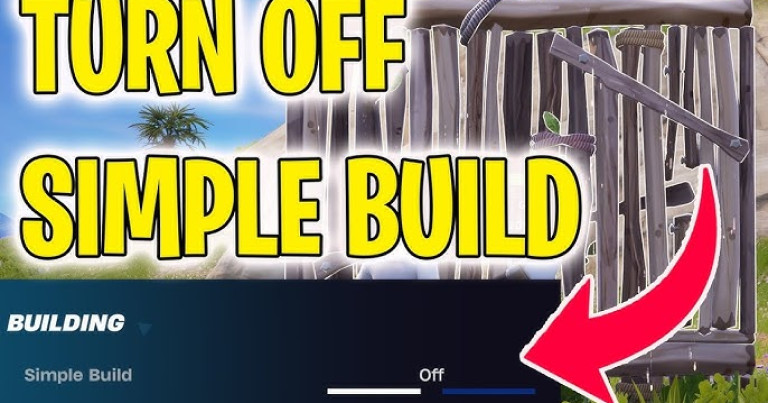
How to Turn Off Simple Build in Fortnite
How to Turn Off Simple Build in Fortnite for Pro Control
Learning how to turn off Simple Build in Fortnite is a critical step for any player looking to move from casual play to a competitive level. While Epic Games introduced this feature to help newcomers, it quickly becomes a mechanical handicap that limits your true potential in high-stakes build fights. This guide will not only walk you through the exact steps to disable it but also provide a high-level analysis of why this single setting change is non-negotiable for anyone serious about climbing the ranks in Chapter 5 and beyond.
What Exactly is Fortnite’s “Simple Build” Feature?
Introduced as a quality-of-life update, Simple Build is a contextual building system designed to simplify the construction process for new players. Instead of manually selecting a wall, ramp, floor, or cone, the game attempts to predict and place the “correct” piece based on where you are aiming and what structure is already present. According to Epic Games’ official patch notes, the goal was to lower the skill floor. However, for experienced players, this predictive logic often interferes with the precise, rapid-fire piece control that defines high-level gameplay.
- Functionality: Automatically selects build pieces based on cursor placement.
- Target Audience: Beginners unfamiliar with core building mechanics.
- Competitive Drawback: Removes direct player control, hindering muscle memory and advanced techniques.
Why Competitive Players MUST Turn Off Simple Build
In competitive Fortnite, every millisecond and every build piece matters. Simple Build introduces a layer of unpredictability that can be fatal. Imagine attempting a classic high-ground retake that requires a specific sequence of floors, cones, and ramps—only for the game to place a wall instead because your cursor was a few pixels off. This feature actively fights against the muscle memory developed over thousands of hours, making complex maneuvers like triple edits or protected side-jumps unreliable. True piece control, the art of dominating a fight by placing your builds to trap opponents, is impossible with an automated system dictating your choices.
A Step-by-Step Guide to Disabling Simple Build
Reclaiming full control over your building is straightforward. The option is located within the game’s main settings menu. Follow these precise steps to ensure you are playing with the same level of control as the pros in the FNCS. This process takes less than 30 seconds and will permanently improve your mechanical ceiling.
- Navigate to the main lobby or press ‘Esc’ in-game to open the main menu.
- Select the gear icon to open Settings.
- Go to the ‘Game’ tab (the second icon from the left).
- Scroll down to the ‘Building’ subsection.
- Locate the option labeled “Simple Build” and toggle it to ‘Off’.
- Click ‘Apply’ to save your changes.
Once disabled, your building will revert to the legacy system, where each keybind corresponds to a specific build piece. This is the standard for all competitive play and is essential for practicing and perfecting your mechanics in Creative or real matches.
Mastering Mechanics Requires More Than Just Settings
Turning off Simple Build gives you the mechanical freedom to execute complex strategies, but that freedom is only as good as your connection. You’ve now enabled the potential for frame-perfect edits and instant wall replacements, but what happens when network issues get in the way? Your inputs can feel delayed, edits might not register, and a perfectly timed peanut-butter peek can be ruined by a sudden lag spike. True mastery comes when your in-game settings and your network performance are perfectly aligned.
Technical Precision Demands a Flawless Connection
Fortnite is a game of millimeter precision. But even with perfect mechanics, network problems can sabotage flawless execution—your builds may be delayed, your edits might not confirm on time, and your peek could be punished before you even see the enemy. These are not just excuses; they are technical realities that separate a win from a frustrating loss.
NoPing eliminates these variables in over 3,000 games. Its Multi-Connection technology reduces lag by up to 80% and eliminates up to 100% of packet loss and jitter. This means zero interruptions and zero excuses. Your mechanics become as consistent as your game sense, allowing you to focus purely on strategy. You’ve already optimized your settings for pro-level play; now it’s time to optimize your connection.
Published by automated system on December 8, 2025 at 8:02 PM